
UART Non-contact Optical Turbidity Sensor for Arduino (แท้ DFRobot)
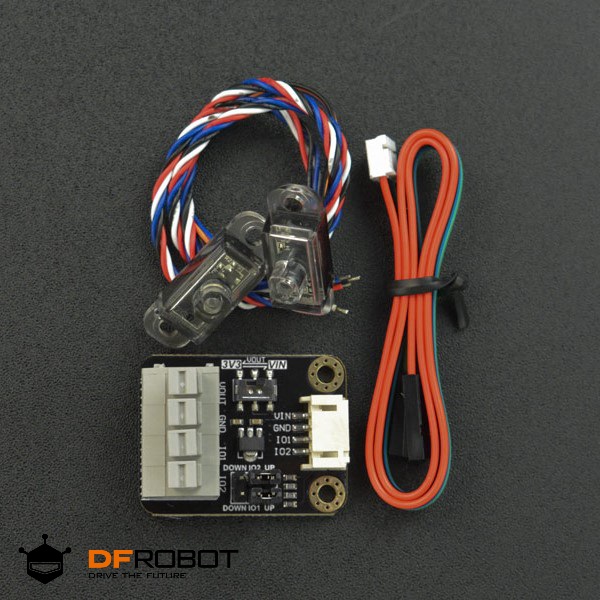
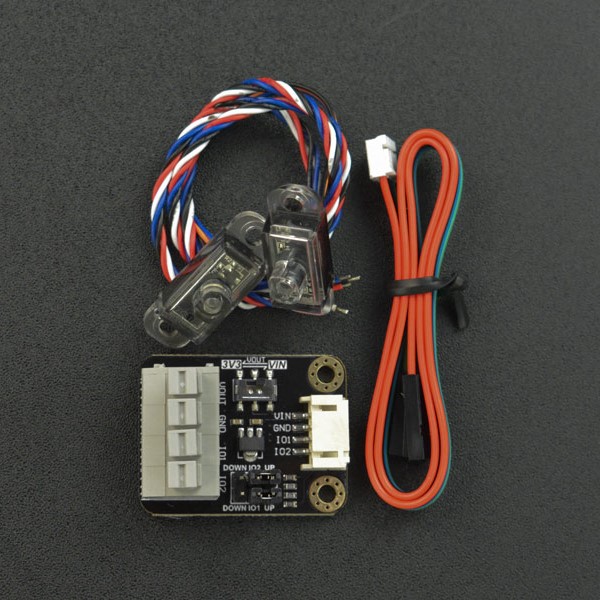

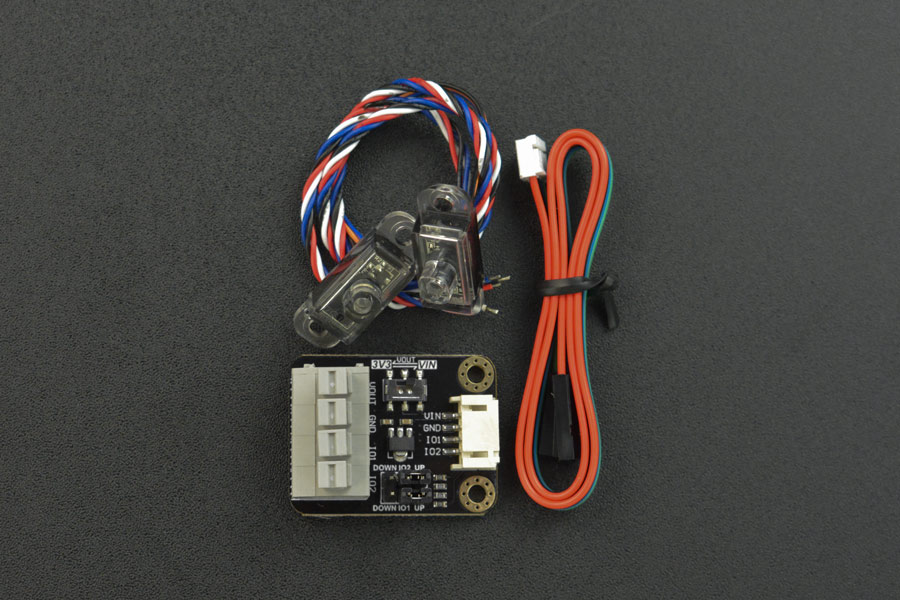


| รหัสสินค้า | AS00556 |
| หมวดหมู่ | วัดสภาพแวดล้อมและแก๊ส Environmental / Gas |
| ราคา | 585.00 บาท |
| สถานะสินค้า | พร้อมส่ง |
| จำนวน | ชิ้น |
หยิบลงตะกร้า

รายละเอียดสินค้า
INTRODUCTION
This non-contact turbidity sensor detects water quality by measuring the level of turbidity. Based on the optics principle, it is capable of detecting the light transmittance and scattering rate of the liquid in transparent cylinder containers with a diameter of 40–50mm, which will then be output as an analog value within a certain range that reflects the level of liquid turbidity.
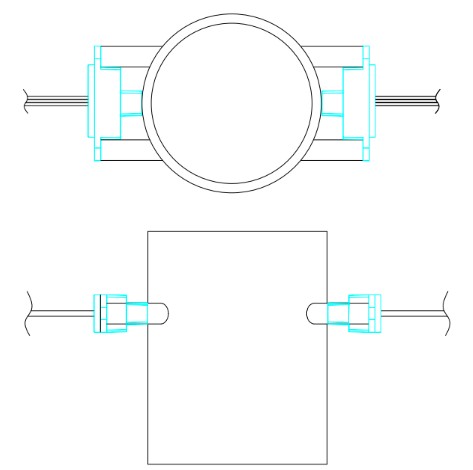
The turbidity sensor comes with two infrared probes, which should be oppositely installed on a container. And it detects when the liquid level inside is higher than the two probes. The sensor can measure without coming into contact with liquid, making it less susceptible to corrosion from water or chemicals.
Installation
FEATURES- No mechanically moving parts, high reliability
- Small size & low cost
- Water quality monitoring system
- Supply Voltage: 5V
- Communication Mode: UART-TTL
- Applicable Cylinder Container Diameter: 40 to 50mm
- Baud Rate: 9600
- Operating Current: less than 10mA
- Response Time: less than 1s
- Operating Temperature: 5 to 60℃
- Storage Temperature: 0 to 65℃
- Service Life: 50000h
SHIPPING LIST
- Turbidity Sensor × 1
- Gravity: 4Pin Sensor Adapter × 1
Communication Protocol
| Controller(Master) Protocol Format: | Frame Header | Data Length | Write Command | Read Command | Frame Trailer |
|---|---|---|---|---|---|
| Peripheral(Slave) Protocol Format | Frame Header | Data Length | Write Command Response | Data | Frame Trailer |
| Controller reads dirty data | 0X18 | 0X05 | 0X00 | 0X01 | 0X0D |
| Peripheral sends data | 0X18 | 0X05 | 0X00/0XAA | 0X00-0XFF | 0X0D |
| Peripheral reads AD data | 0X18 | 0X05 | 0X00 | 0X02 | 0X0D |
| Peripheral sends AD value | 0X18 | 0X05 | 0X00/0XAA | 0X00-0X0F/0X00-0XFF | 0X0D |
| Controller Calibration | 0X18 | 0X05 | 0X55 | 0X00 | 0X0D |
| Calibration transmitting succeeded | 0X18 | 0X05 | 0XAA | 0X00 | 0X0D |
| Controller clears calibration | 0X18 | 0X05 | 0X5A | 0X00 | 0X0D |
| Calibration clearing succeeded | 0X18 | 0X05 | 0X00 | 0X00 | 0X0D |
Connection Diagram
The sensor communicates with MCU via TTL and transmits the data through serial port after detecting different turbidity data.
Sensor Wiring Sequence Definition
Black=GND Blue=TX Red=VCC White=RX
Recommended connection diagram

Here we connect the sensor to the UNO board using Gravity: 4Pin Sensor Adapter and Gravity-4P Cable (PH2.0 to 2.54 DuPont female). The connections are as shown in the table below.
| Sensor | Adapter | UNO |
|---|---|---|
| GND | GND | GND |
| VCC | VOUT | VCC |
| RX | IO1 | 11(TX) |
| TX | IO2 | 12(RX) |
Installation


The two probes should be oppositely fixed on a transparent container.
Tutorial
Hardware
- DFRduino UNO R3 (or similar) × 1
- Turbidity Sensor × 1
- Gravity: 4Pin Sensor Adapter × 1
- Micro USB Cable × 1
- Gravity-4P Cable (PH2.0 to 2.54 DuPont female) × 1
Software
Sample Code
#include <SoftwareSerial.h>
SoftwareSerial mySerial(10, 11); // RX, TX
unsigned char str[5] = { }; //Serial receives data
unsigned char col;
unsigned int distance = 0;
unsigned char a[5] = {
0x18,0x05, 0x00, 0x01 ,0x0D
};
void setup()
{
Serial.begin(9600);
mySerial.begin(9600);
}
void loop() {
mySerial.write(a, 5);
while (!mySerial.available());
while (mySerial.available() > 0) //Detect if there is data on serial port
{
for (int i = 0; i < 5; i++)
{
str[i]=mySerial.read();
delay(5);
}
Serial.println(str[3],DEC);
mySerial.flush();
}
delay(500);
}
วิธีการชำระเงิน
ชำระเงินค่าสินค้าโดยการโอนเงินเข้าบัญชีธนาคาร KBANK, SCB, BBL,TMB
กรุณาเก็บหลักฐานการโอนเงินของท่านไว้เพื่อแจ้งการชำระเงินด้วยค่ะ
ท่านสามารถแจ้งการชำระเงินผ่านระบบอัตโนมัติได้โดย Click Link ข้างล่างค่ะ
https://www.arduitronics.com/informpayment
ชำระเงินผ่านธนาคาร
 บมจ. ธนาคารกสิกรไทย
สาขาเซ็นทรัล แจ้งวัฒนะ ออมทรัพย์
บจก. จีเจ เทค
054-3-24957-2
บมจ. ธนาคารกสิกรไทย
สาขาเซ็นทรัล แจ้งวัฒนะ ออมทรัพย์
บจก. จีเจ เทค
054-3-24957-2
 ธนาคารไทยพาณิชย์ จำกัด (มหาชน)
สาขาเซ็นทรัล แจ้งวัฒนะ ออมทรัพย์
บจก. จีเจ เทค
429-032188-8
ธนาคารไทยพาณิชย์ จำกัด (มหาชน)
สาขาเซ็นทรัล แจ้งวัฒนะ ออมทรัพย์
บจก. จีเจ เทค
429-032188-8
 ธนาคารกรุงเทพ จำกัด (มหาชน)
สาขาเซนทรัล พระราม 3 สะสมทรัพย์
บจ. จีเจ เทค
086-7-268583
ธนาคารกรุงเทพ จำกัด (มหาชน)
สาขาเซนทรัล พระราม 3 สะสมทรัพย์
บจ. จีเจ เทค
086-7-268583
 ธนาคารทหารไทยธนชาต จำกัด (มหาชน)
สาขาเซนทรัล พระราม 3 กระแสรายวัน
บจก. จีเจ เทค
2121057935
ธนาคารทหารไทยธนชาต จำกัด (มหาชน)
สาขาเซนทรัล พระราม 3 กระแสรายวัน
บจก. จีเจ เทค
2121057935


@rfm0967y
ติดต่อสอบถาม

Join เป็นสมาชิกร้านค้า

ร้านArduitronics
/www.arduitronics.com/
สมัครสมาชิกร้านนี้ เพื่อรับสิทธิพิเศษ
MEMBER


สินค้าในตะกร้า ({{total_num}} รายการ)

ขออภัย ขณะนี้ยังไม่มีสินค้าในตะกร้า
ราคาสินค้าทั้งหมด
฿ {{price_format(total_price)}}
- ฿ {{price_format(discount.price)}}
ราคาสินค้าทั้งหมด
{{total_quantity}} ชิ้น
฿ {{price_format(after_product_price)}}
ราคาไม่รวมค่าจัดส่ง
➜ เลือกซื้อสินค้าเพิ่ม